Case Study 6: Michelson Beam Splitter And Interferogram
Goal
This case study demonstrates the non-sequential beam-splitter workflow:
load a physical-source Michelson layout;
understand that
ObjectandSourceare separate scene entities;inspect deterministic beam-splitter paths in the 2D plot;
use
Path viewto isolate the detector path in the table;run detector power, coherent detector, interferogram, and branch-field analyses.
The screenshots in this tutorial are generated from the live Tk UI with:
python -m KrakenOS.UI.capture_michelson_case_study_screenshots
Load The Michelson Layout
Start the UI with
python -m KrakenOS.UI.layout_editor.Choose
Layouts -> Beam Splitters / Folds -> Michelson Interferometer (Interferogram).Keep
Trace mode = Non-Sequential Preview.Keep
NS probabilistic coating splitoff. This example uses deterministic beam-splitter child paths.
The Object row is only a scene/reference datum in this layout. Rays launch
from the physical source in the Source panel, not from the Object row. The
table therefore shows an automatic Src1 illumination-source scene row in
addition to the KrakenOS optical surface rows.
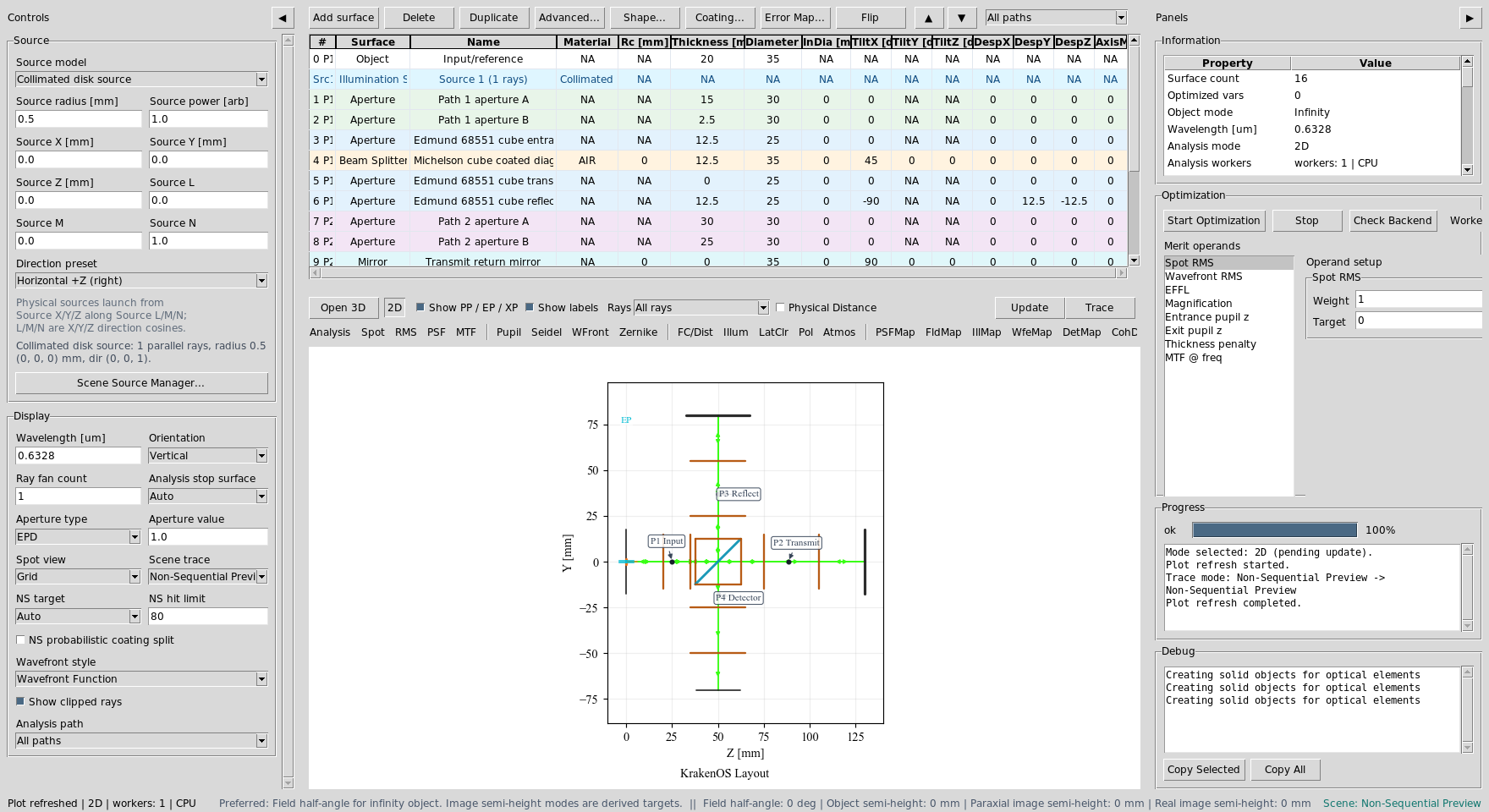
The Michelson preset contains a physical source, a cube beam splitter, two return mirrors, grouped path apertures, and a detector output path.
Read The Path Labels
Click Update. With the default chief-ray settings, the 2D plot is intended
to read like a schematic. The black-dot labels identify the path segments:
Plot label |
Meaning |
|---|---|
|
Source to beam splitter. |
|
Beam splitter to the transmitted return mirror. |
|
Beam splitter to the reflected return mirror. |
|
Recombined output path toward the detector plane. |
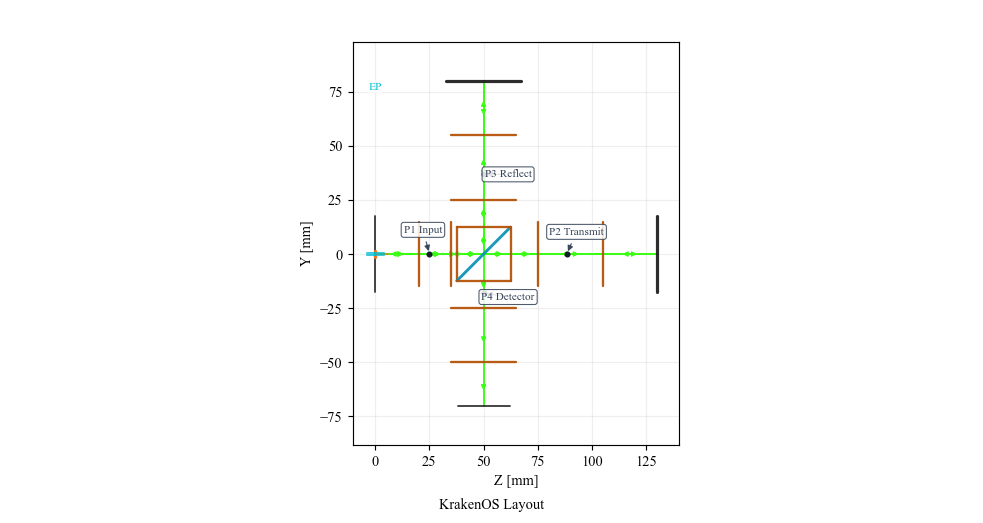
The plot labels the physical path segments rather than only the splitter branch codes. This makes it clear where components belong.
Use Path View
After Update, open the table toolbar Path view dropdown and select:
Path 4: Detector output path
The table and plot are filtered to the common path plus the selected detector path. This is the workflow to add or audit components on one path without visually parsing the whole interferometer.
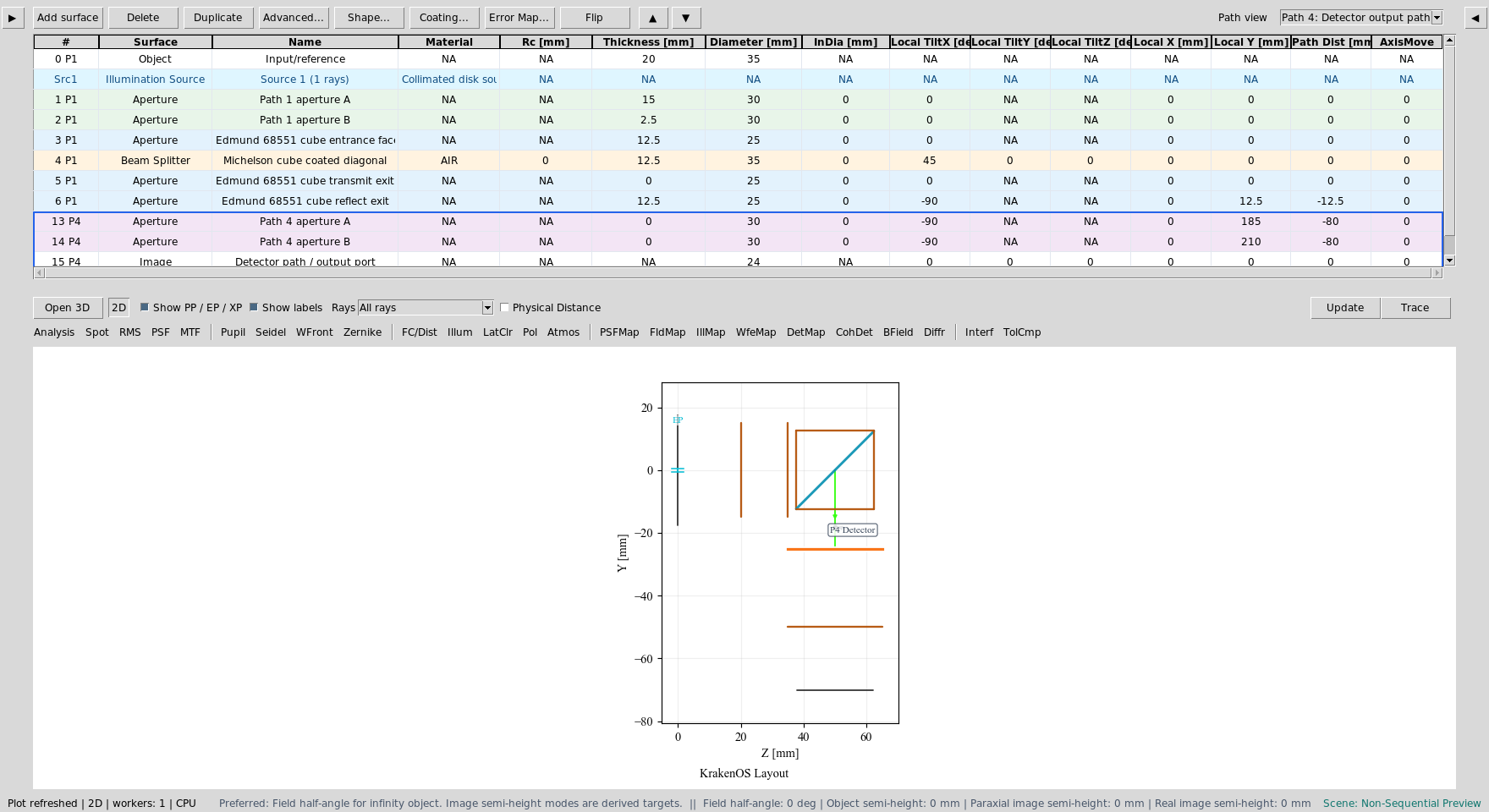
Path view isolates the detector-output path while preserving KrakenOS
surface indices.
Run Detector Analyses
For analysis screenshots, use a denser source bundle:
Ray fan count = 121
Source radius [mm] = 8.0
Detector bins = 128
Coherent sum = Mutual coherent
Path view = All paths
Click DetMap and Update. This maps incoherent detector power from all
paths that hit the detector plane.
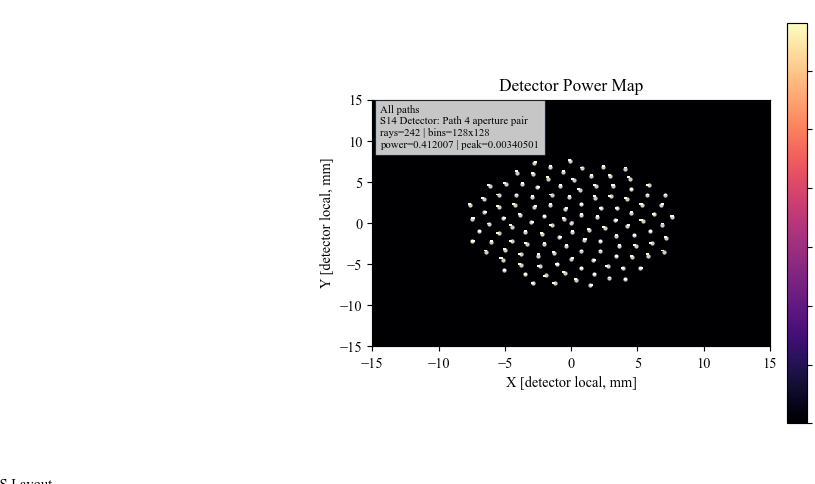
DetMap verifies that recombined rays reach the detector path and shows
detector-plane power distribution.
Click CohDet and Update. This uses the same detector hits but sums the
complex Jones field by coherence group instead of only summing power.
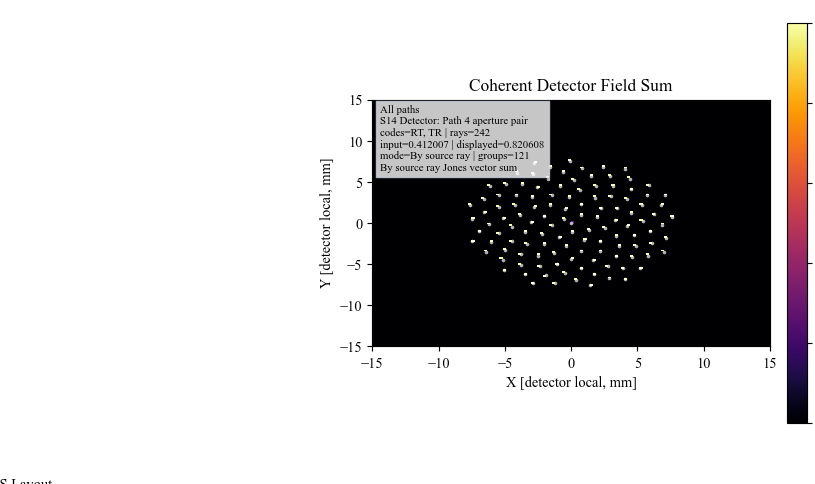
CohDet is the detector-bin coherent field sum. The annotation lists the
recombined branch codes, ray count, and polarization model.
Show The Interferogram
Click Interf and Update.
The Michelson preset stores interferogram settings on the recombining beam splitter. A small detector tilt is included so the coherent detector-bin output is not just a uniform bright/dark sample. With the current traced-ray detector model, the display is a sampled interferogram; increasing source samples and detector bins makes it more continuous.
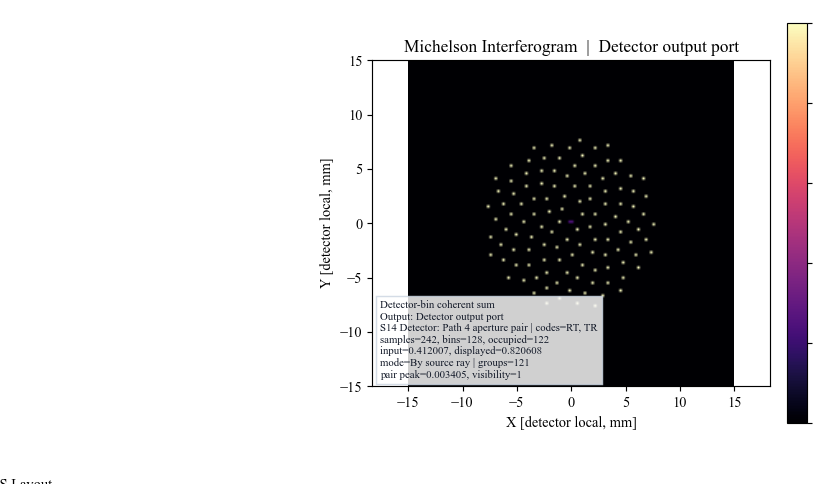
Interf uses the recombined detector paths and the saved Michelson
interferogram settings to display the detector-bin coherent interferogram.
Run Branch Field
Set BField z [mm] = 0. Click BField and Update.
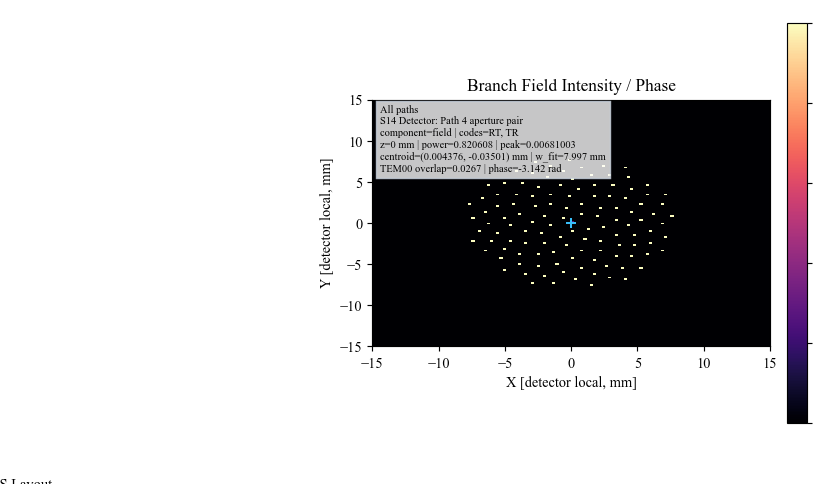
BField promotes the coherent detector samples into a branch-field grid
and reports intensity, phase, centroid, and mode-overlap diagnostics.
What This Proves
This case study exercises the non-sequential-first workflow:
source/object separation;
deterministic beam-splitter path spawning;
physical path labels in the 2D plot;
table filtering by traced path;
detector-hit analysis;
coherent field recombination;
interferogram generation;
branch-field intensity/phase analysis.
Common Mistakes
I expected the Object row to launch the rays.In this scene workflow, the physical Source panel launches rays. The Object row is a reference datum.
I changed Path view and thought surface indices were renumbered.Path view filters the visible rows. KrakenOS surface indices remain stable.
The final detector image is sparse.Increase
Ray fan countandSource radiusfor detector analyses. Keep the chief-ray default when you want a clean schematic.I turned on probabilistic coating split.Leave it off for this demo. Deterministic splitters intentionally spawn both transmitted and reflected child paths.
The interferogram is not a full wave-optics propagation model.Correct. It is a detector-bin coherent recombination model for the traced branch paths. Use
BFieldfor the current branch-field grid diagnostic.