Case Study 1: Turn A Glass Plate Into A 100 mm PCX Lens
Goal
A beginner user starts with three physical surfaces:
a flat front surface;
5 mm of BK7 glass;
a flat rear surface.
That is a glass plate. The goal is to turn it into a plano-convex lens with about 100 mm effective focal length (EFFL), then place the image plane at the focus.
This is possible in the UI, but two terms must be kept separate:
The front surface
Rcis the optimization variable. This is the value the optimizer is allowed to change.EFFLis the optimization operand. This is the result the optimizer tries to hit.
If only the front Rc is variable, the optimizer can make the lens
approximately 100 mm EFFL, but it will not automatically move the image plane.
For correct image position, either run the paraxial image-distance solve after
the EFFL optimization, or also make the image-space air thickness a variable
and include a focus/spot operand.
The screenshots in this tutorial are generated from the live Tk UI with:
python -m KrakenOS.UI.capture_pcx_tutorial_screenshots
They use Orientation = Vertical in the UI, which plots optical Z as the
horizontal axis and object height Y as the vertical axis.
Build The Starting Plate
Start from Reset or an empty two-row layout, then create this sequence:
Row |
Surface |
Material |
Rc [mm] |
Thickness [mm] |
Diameter [mm] |
|---|---|---|---|---|---|
Object |
Object |
AIR |
0 |
object distance |
optional |
Front |
Standard |
BK7 |
0 |
5 |
for example 25 |
Rear |
Standard |
AIR |
0 |
temporary image distance |
for example 25 |
Image |
Image |
AIR |
0 |
0 |
optional |
The material on a surface row is the material after that surface. Therefore the
front surface is BK7 because rays enter glass there, and the rear surface is
AIR because rays leave the glass there.
For a collimated-input focal-length example, use an effectively distant object or the source/field settings appropriate for parallel rays.
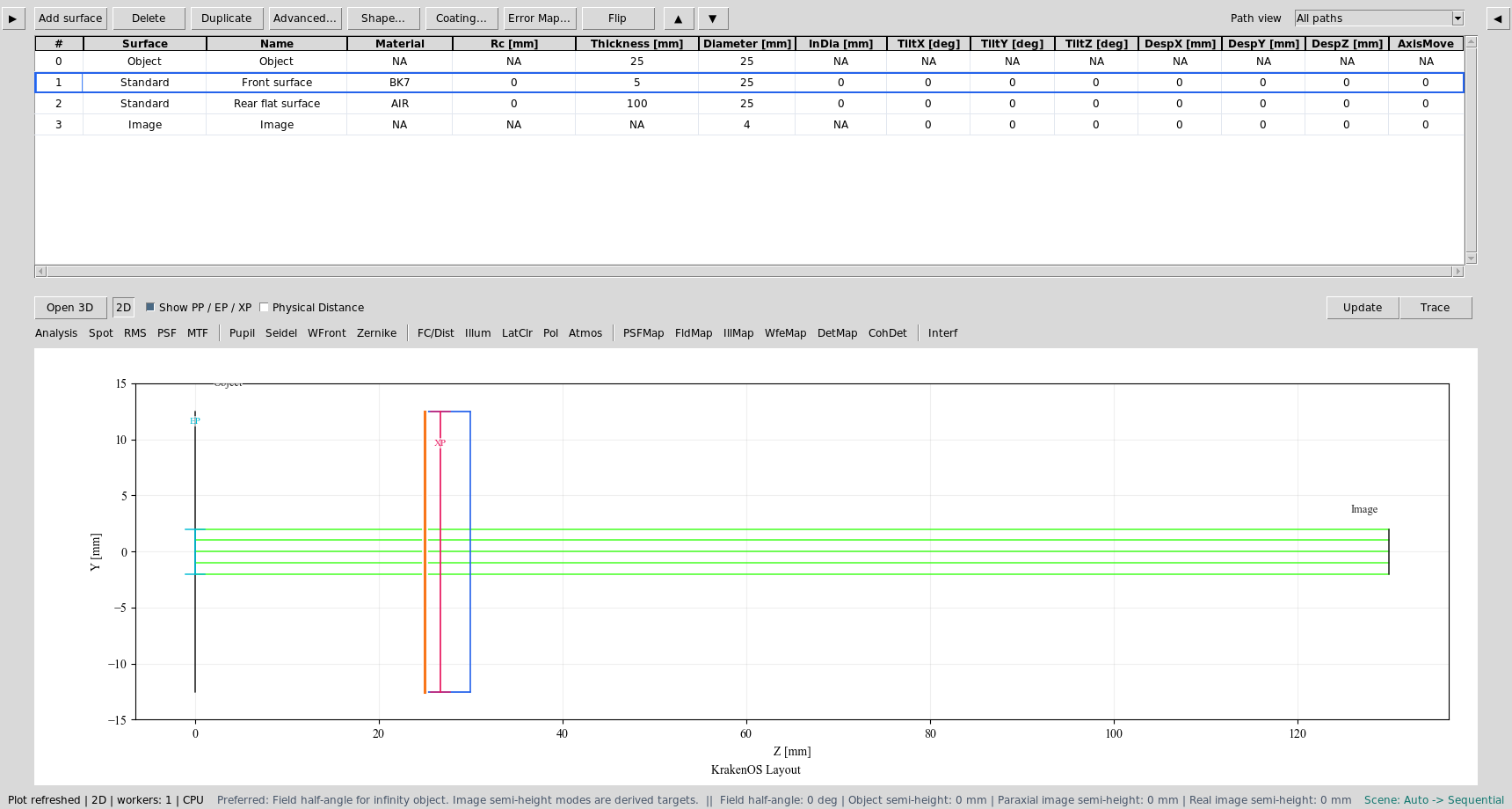
Starting state: Object, BK7 front surface, AIR rear surface, and Image.
Make The Front Surface Variable
Right-click the front surface
Rccell.Choose
Optimization / Solves -> Select Radius for optimization.Right-click the same
Rccell again and chooseSet bounds....Use a positive radius range, for example
20, 100mm.
The cell should show the Zemax-style V marker. This means the front
curvature is now a variable.
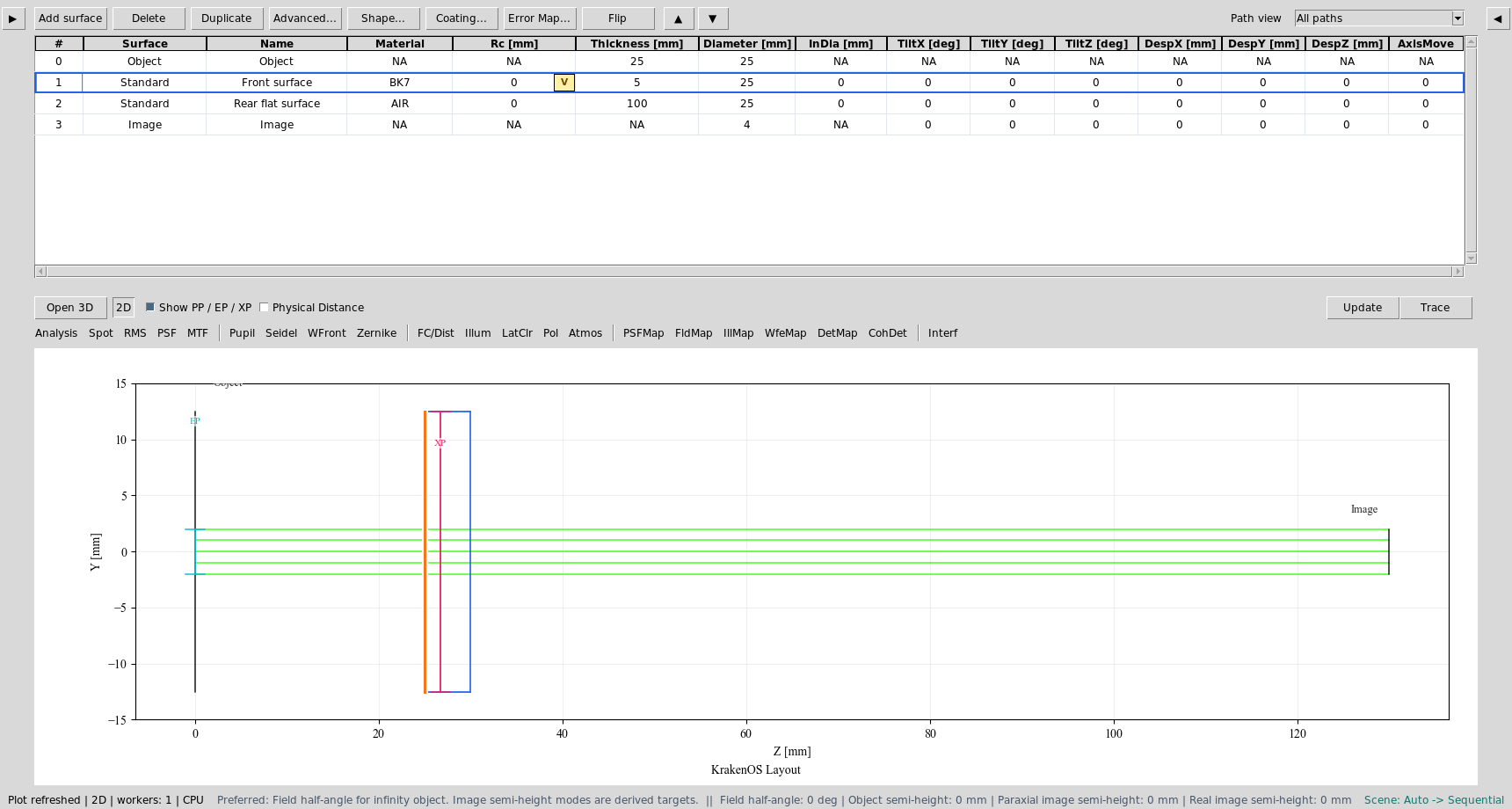
The front Rc cell is selected as an optimization variable and shows the
V marker.
Set The EFFL Target
In the Optimization panel:
Select the
EFFLmerit operand.Set
Targetto100.Keep
Weightat1for this simple case.Click
Start Optimization.
For BK7 near the visible range, a 100 mm PCX lens with a flat rear surface will usually converge to a front radius around 52 mm. The exact number depends on the active wavelength and glass catalog index.
At this point the table has become a PCX lens prescription, but the image plane may still be wherever the temporary rear-surface thickness placed it.
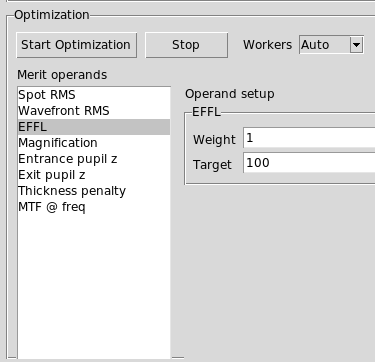
The EFFL operand is selected in the Optimization panel with target
100 mm and weight 1.
Place The Image Plane Correctly
Use one of these two workflows.
Workflow A: solve image distance after EFFL
This is the most beginner-friendly workflow.
After EFFL optimization finishes, right-click the rear surface
Thicknesscell. This is the air distance from the rear lens surface to the Image row.Choose
Optimization / Solves -> Paraxial Solve Image Distance.Click
Update.
For a 5 mm thick BK7 PCX lens with 100 mm EFFL, the back focal distance is
roughly 100 - 5 / n. With BK7 n ~= 1.518, this is about 96.7 mm from the
rear surface. The UI should place the Image row near that value for a collimated
object-space input.
Workflow B: optimize EFFL and focus together
This is closer to the requested one-button behaviour.
Mark the front surface
Rcas a variable.Mark the rear surface
Thicknessas a variable. This controls the image distance.Select the
EFFLoperand and set target100.Also select
Spot RMSwith target0.Click
Start Optimization.
This gives the optimizer two freedoms: bend the front surface to satisfy EFFL, and move the image plane to minimize focus error. Use sensible bounds on both variables so the optimizer cannot choose nonphysical values.
What The User Should See
After the solve:
The front surface
Rcis no longer zero.The rear surface remains flat, so the component is plano-convex.
The material sequence remains
BK7thenAIR.The 2D plot shows rays converging toward the Image plane.
The paraxial report should show EFFL near 100 mm.
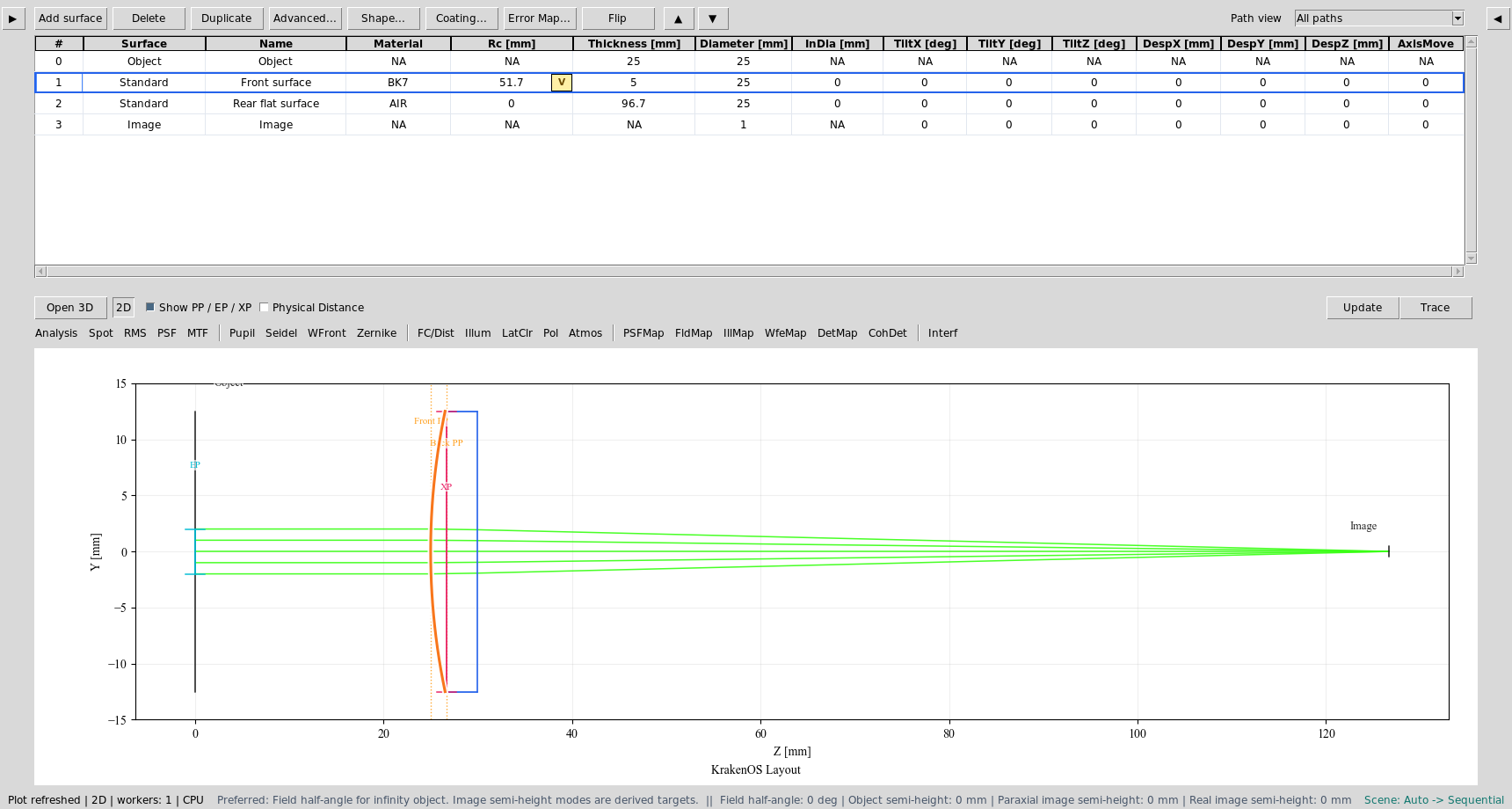
Example solved prescription: front radius about 51.7 mm and rear
air-space thickness about 96.7 mm.
Common Mistakes
I selected the front surface as an operand.In this UI, surfaces are not operands. Surface values are variables; optical results such as
EFFLorSpot RMSare operands.The lens has 100 mm EFFL but the Image row did not move.This is expected if only front
Rcwas variable. Run the paraxial image-distance solve or include rear-surfaceThicknessas a second optimization variable.The optimizer made a negative or extreme radius.Add realistic bounds to the
Rcvariable. For a 100 mm BK7 PCX lens,20, 100mm is a reasonable beginner range.The glass plate did not become a lens.Confirm the front surface material is
BK7and the rear surface material isAIR. If both areAIR, there is no refractive lens power.