Case Study 15: Multi-Element Lens PDF Drawing Export
Goal
This case study shows how a user enters a multi-element lens in the editable UI table, adds per-surface fabrication metadata, and exports an ISO-style PDF drawing package.
The example is a compact cemented triplet. It is not a released production design; it is a reproducible workflow that proves the UI can carry optical prescription data into a drawing-oriented output.
The screenshots and output files are generated with:
python -m KrakenOS.UI.capture_lens_drawing_pdf_case_study_screenshots
The scriptable example is:
python KrakenOS/Examples/Examp_Lens_Drawing_PDF_Export.py
Download the generated outputs:
Input The Surface Table
Start the UI with python -m KrakenOS.UI.layout_editor. Create this table
with Add surface and direct cell edits:
Row |
Surface |
Name |
Rc [mm] |
Thickness [mm] |
Diameter [mm] |
Glass |
|---|---|---|---|---|---|---|
0 |
Object |
Object |
NA |
25.0 |
32.0 |
AIR |
1 |
Standard |
E1 front crown |
42.0 |
6.0 |
28.0 |
N-BK7 |
2 |
Standard |
E1/E2 cement interface |
-28.0 |
3.2 |
27.5 |
N-SF5 |
3 |
Standard |
E2/E3 cement interface |
64.0 |
5.8 |
27.0 |
N-LAK22 |
4 |
Standard |
E3 rear surface |
-55.0 |
42.0 |
26.5 |
AIR |
5 |
Image |
Image |
NA |
0.0 |
32.0 |
AIR |
Rows 1 through 3 have real glass after the surface. With zero air gap between
them, the drawing exporter identifies one cemented three-element group. Row 4
is the rear surface because the material after it is AIR.
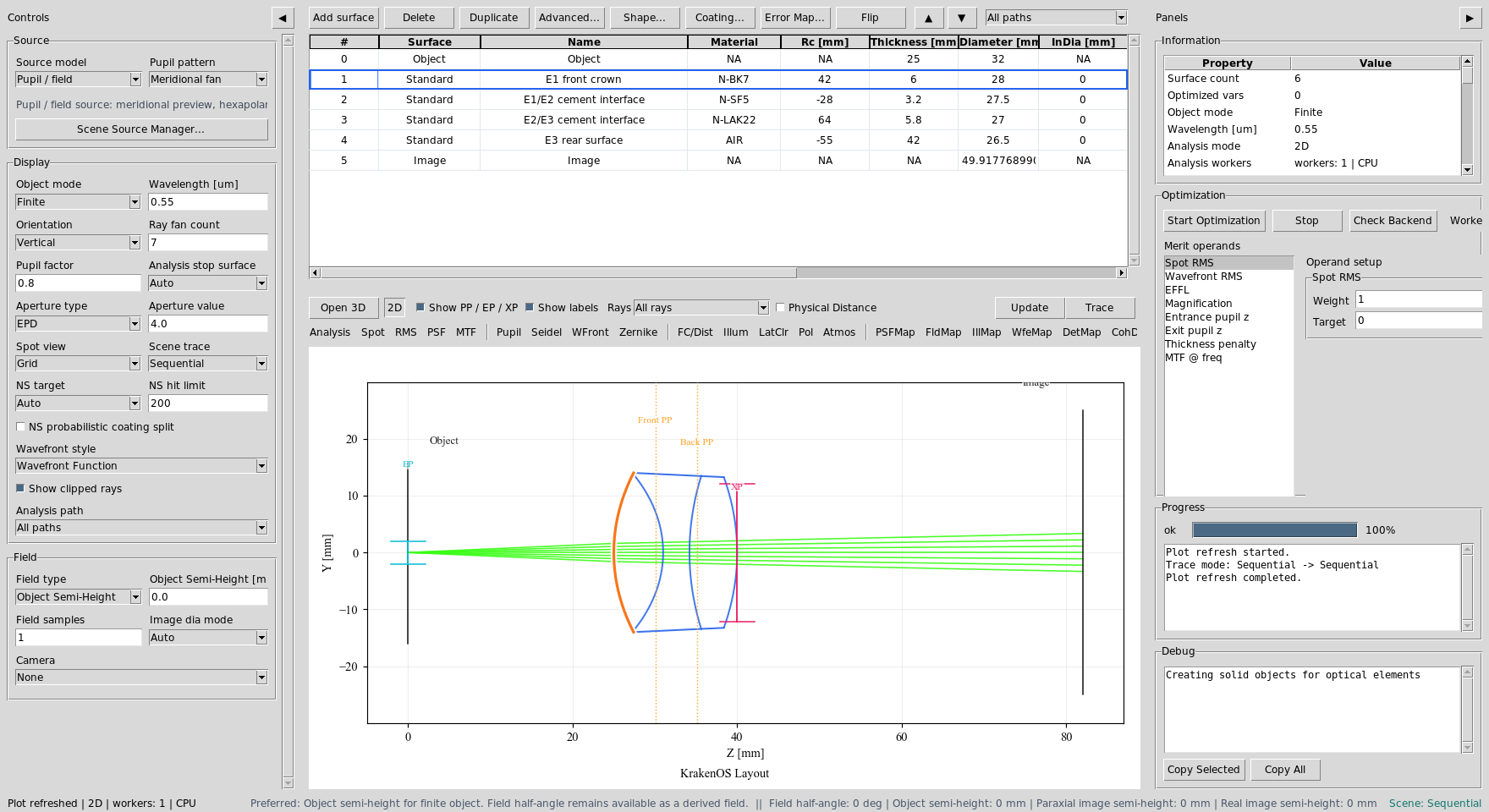
The editable table contains the triplet prescription before drawing export.
Input Drawing Properties
Choose File -> Lens Drawing Surface Properties... or
File -> Export Lens Drawing.... The export command opens the same dialog
before asking for a PDF filename.
Enter fabrication metadata on the optical surface rows:
Row |
Clear aperture |
R tolerance |
CT tolerance |
Dia tolerance |
3/ form |
Coating / notes |
|---|---|---|---|---|---|---|
S1 |
26.0 |
+/-0.035 |
+/-0.05 |
+0/-0.03 |
3/ 3 (0.5) lambda=632.8 nm |
R(avg) < 0.75% from 450-650 nm |
S2 |
25.5 |
+/-0.025 |
blank |
blank |
3/ 3 (0.5) lambda=632.8 nm |
cement: NOA 61 or equivalent |
S3 |
25.0 |
+/-0.030 |
+/-0.05 |
blank |
3/ 3 (0.5) lambda=632.8 nm |
cement: NOA 61 or equivalent |
S4 |
24.5 |
+/-0.040 |
blank |
+0/-0.03 |
3/ 3 (0.5) lambda=632.8 nm |
R(avg) < 0.75% from 450-650 nm |
Blank fields are allowed. They become placeholders or omitted notes in the
drawing. The dialog stores data in each row’s advanced["DrawingProperties"]
dictionary and can also save/load a JSON sidecar.
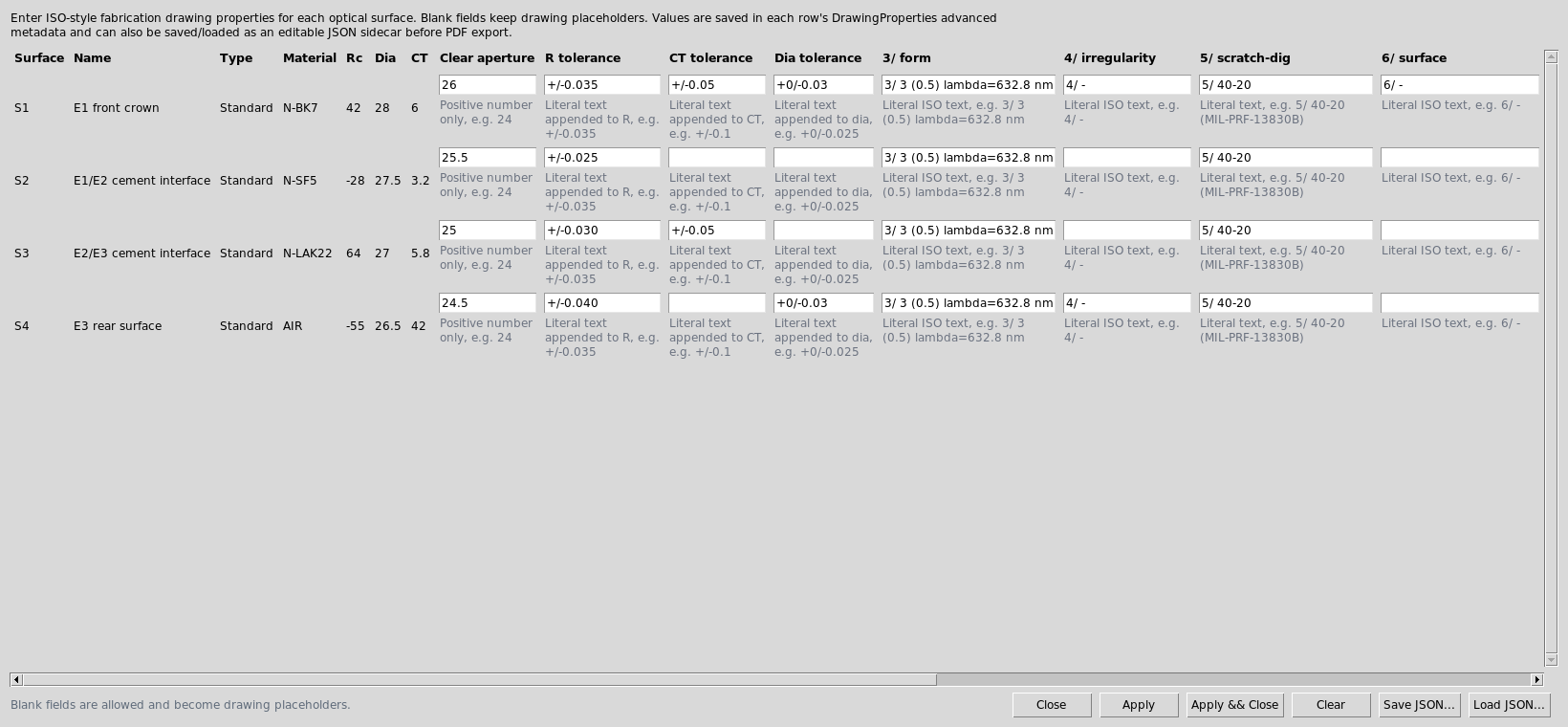
Each row maps to one physical optical surface in the table.
Export The PDF
Choose File -> Export Lens Drawing.... After reviewing the properties
dialog, click Apply && Continue and choose a PDF filename.
The generated PDF has four pages:
one assembly page for the cemented triplet;
one individual drawing page for each of the three elements.
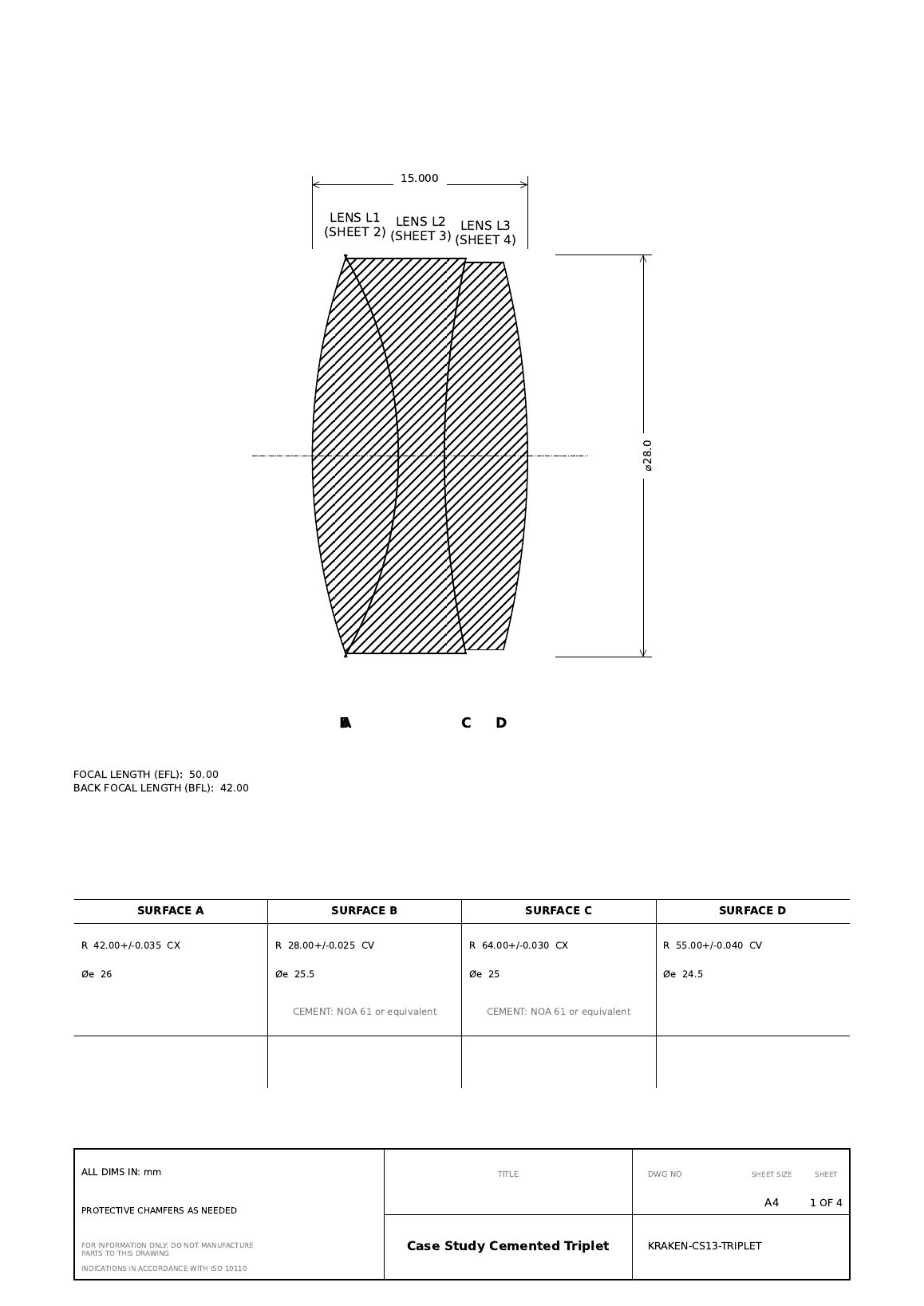
The assembly sheet shows the cemented group, total thickness, outside diameter, EFL/BFL entries, cement notes, and surface radius table.
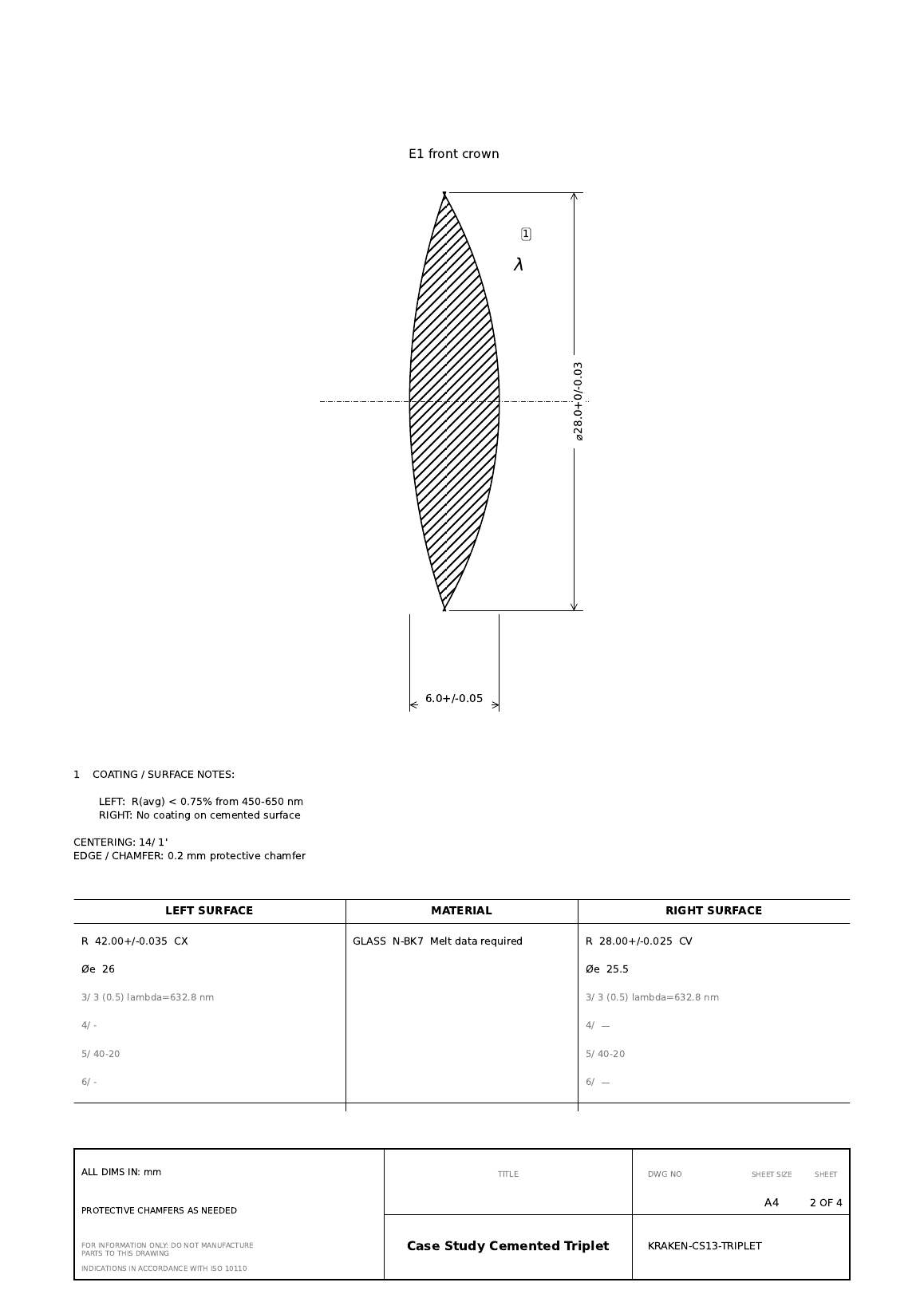
Element 1 shows its center thickness, diameter tolerance, left/right surface radii, clear apertures, coating notes, material note, and edge note.
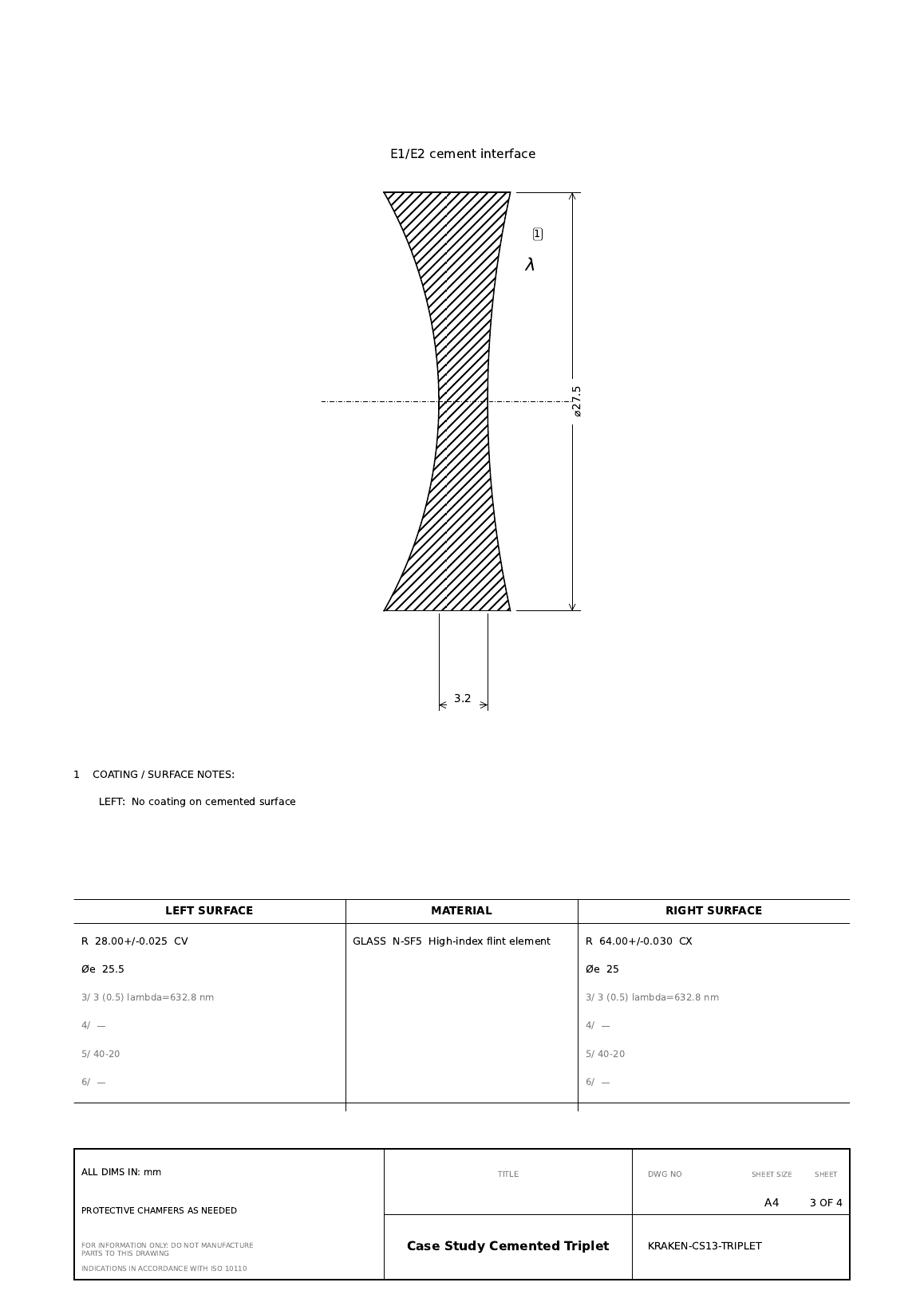
Element 2 inherits the cement-interface metadata from the shared surface rows.
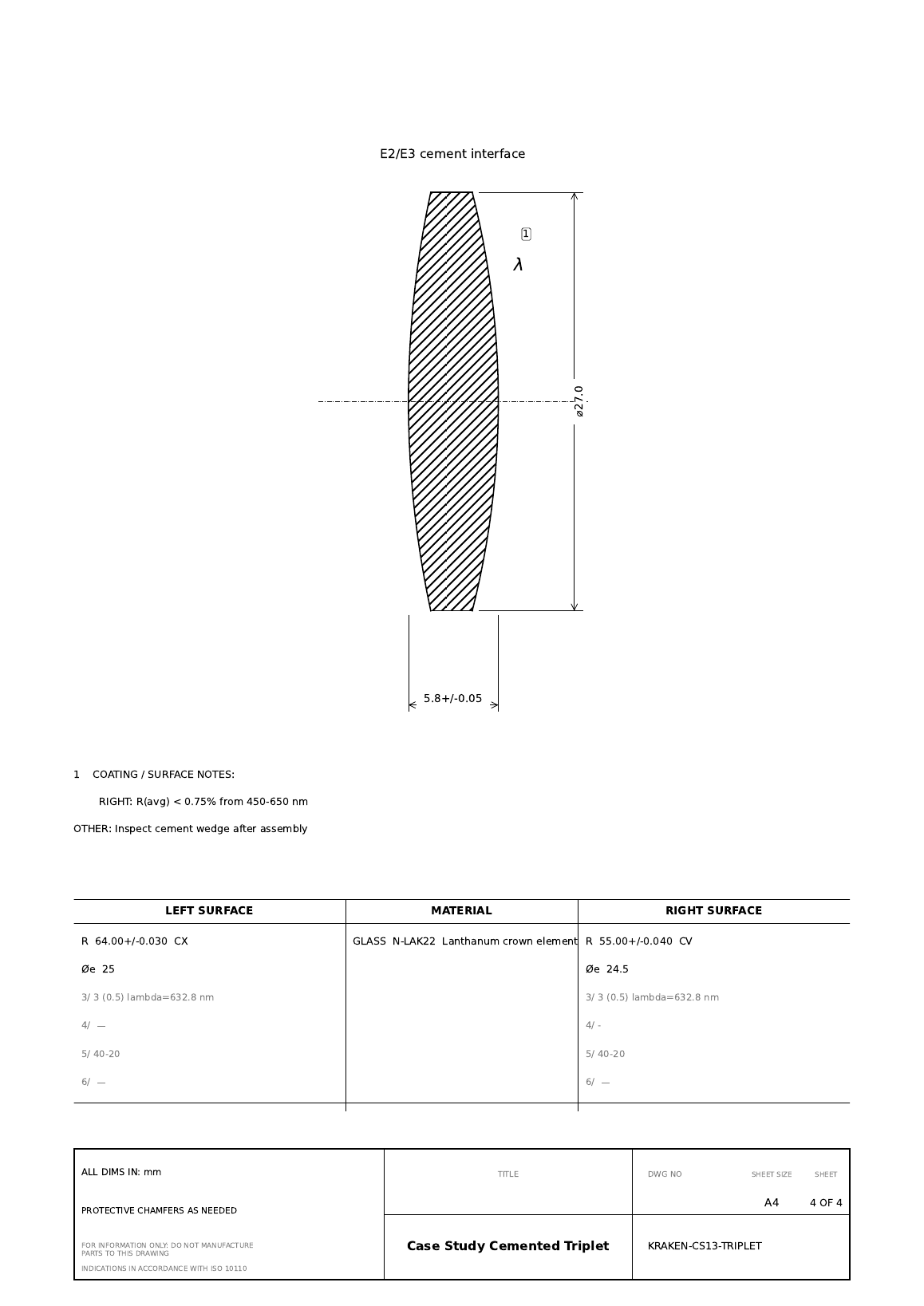
Element 3 carries the rear-surface coating note and final assembly inspection note.
Run The Validator
Use this check after editing drawing properties, element identification, or PDF export code:
python -m KrakenOS.UI.validate_lens_drawing_pdf_case_study
python -m KrakenOS.UI.validate_lens_drawing_properties
The first validator proves that this case study still identifies one cemented three-element group, round-trips the JSON surface-property sidecar, and writes a non-empty PDF. The second validator checks the lower-level drawing-property schema and two-element cemented group export.
What This Proves
This case study exercises the engineering-output side of the UI:
table cell prescription entry for a multi-element lens;
automatic cemented-group identification from material and zero air gaps;
per-surface drawing metadata stored in row
Advanceddata;editable JSON sidecar export/import for drawing properties;
assembly-page and element-page PDF drawing generation;
surface radius, clear aperture, coating, cement, material, centering, edge, and miscellaneous note export.
Important Limitation
The exported PDF is a fabrication starting point, not a controlled released drawing. Before manufacturing, verify tolerances, coating requirements, glass melt data, edge/chamfer details, drawing number, revision policy, title block, and vendor-specific drawing standards.